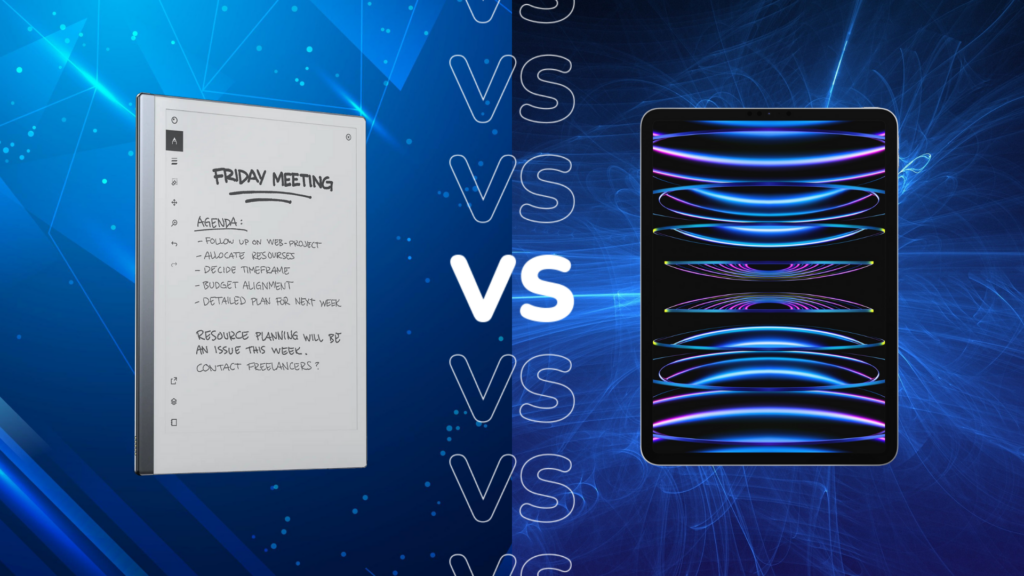
Digital note-taking has become an essential part of modern productivity, whether for students attending lectures, professionals managing meetings, or creatives capturing ideas. Tablets designed for writing and organization have replaced traditional notebooks for many users. Among the most discussed devices in this category are the reMarkable tablet and the Apple iPad, both offering unique approaches to digital writing. When comparing reMarkable vs iPad, users often wonder which device truly delivers a better experience for focused note-taking.At Heaven Star, we frequently help customers decide between these two powerful tools. The reMarkable vs iPad note taking debate usually depends on how someone prefers to work, study, or organize information. While the reMarkable tablet focuses on a distraction-free digital paper experience, the iPad offers a multifunctional ecosystem supported by various productivity applications. In this iPad vs reMarkable tablet comparison, we explore the differences in design, features, writing experience, and productivity benefits to help you choose the best tablet for note taking.
Understanding the Core Philosophy of Both Devices
The
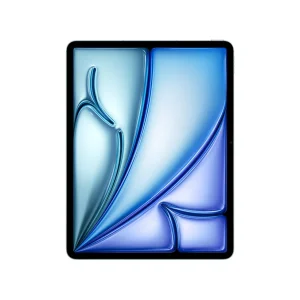
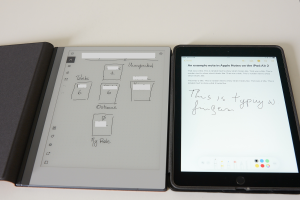
reMarkable tablet was built with a single mission: to replicate the feeling of writing on real paper while keeping the advantages of digital storage and organization. Its e-ink display and minimal interface encourage users to focus purely on writing, sketching, and reading without notifications or distractions. This makes the device particularly appealing for people who want a calm digital workspace dedicated entirely to note-taking.On the other hand, the Apple iPad is designed as a powerful multi-purpose device capable of handling productivity, entertainment, creativity, and communication tasks. In an iPad vs reMarkable tablet comparison , the iPad offers access to thousands of apps, cloud services, and multimedia capabilities. While this flexibility makes it extremely powerful, some users find that the variety of apps and notifications can interrupt focused writing sessions.
Display and Writing Experience
- Paper-Like E-Ink Screen on reMarkable
The reMarkable tablet uses an e-ink display that closely resembles the texture and appearance of real paper. This technology reduces eye strain and provides a natural writing feel for long note-taking sessions.
- Liquid Retina Display on iPad
The iPad features a vibrant, high-resolution display designed for multimedia, graphics, and apps. While visually impressive, it feels smoother and more glass-like compared to traditional paper surfaces.
- Stylus Interaction and Latency
ReMarkable’s stylus technology is optimized specifically for handwriting, delivering a precise and responsive writing experience. The Apple Pencil also performs exceptionally well, though it is built for a broader range of creative tasks.
- Comfort for Long Writing Sessions
Many users prefer the reMarkable tablet for extended note-taking because the screen feels more natural. The iPad’s glossy display can sometimes cause fatigue during very long writing periods.
- Reading and Annotation Quality
The reMarkable device is highly effective for reading PDFs and annotating documents. In contrast, the iPad provides additional flexibility with apps that allow advanced editing and multimedia integration.
- Visual Clarity in Different Lighting Conditions
E-ink displays on reMarkable work well under bright light and sunlight. The iPad display remains clear but relies on backlighting similar to a smartphone or laptop.
Software and Note-Taking Capabilities
The iPad note taking apps vs reMarkable discussion often revolves around software flexibility. The iPad supports powerful applications such as GoodNotes, Notability, and Apple Notes. These apps provide features like handwriting recognition, multimedia integration, collaborative editing, and extensive formatting tools. Users who prefer customizable workflows and app ecosystems often appreciate this versatility.The reMarkable tablet takes a different approach by offering a focused interface dedicated entirely to writing and reading. Instead of relying on third-party apps, the platform provides built-in tools for notebooks, document annotation, and organization. While it does not support thousands of external applications, the simplicity of the system helps maintain a distraction-free environment that many professionals and students find beneficial.

Productivity and Workflow Differences
- Focused Writing Environment
The reMarkable tablet encourages uninterrupted concentration by eliminating notifications, social media apps, and entertainment features that may disrupt productivity.
- Versatile Digital Workspace
The iPad supports numerous applications for writing, research, communication, and collaboration, making it a flexible productivity hub for many professionals.
- Cloud Integration and File Management
Both devices support cloud syncing, allowing users to access notes across devices. However, the iPad offers broader compatibility with various cloud platforms and apps.
- Multitasking and App Switching
In the iPad vs reMarkable tablet comparison, the iPad excels in multitasking, allowing users to run multiple applications simultaneously.
- Distraction-Free Work Style
Users who prefer minimalism often choose reMarkable because its simple interface helps them stay focused on writing tasks.
- Digital Organization Tools
Both devices allow users to organize notebooks, documents, and notes digitally, though the iPad offers more customization options through apps.
Which Device Is Better for Students and Professionals?
Choosing between
reMarkable vs iPad note taking often depends on the user’s priorities. Students who want a simple digital notebook that mimics real handwriting may appreciate the reMarkable tablet’s paper-like display and focused interface. The device works well for lecture notes, document annotation, and reading academic materials.Professionals who need a multifunctional device for meetings, presentations, and productivity apps may prefer the iPad. In the best tablet for note taking discussion, the iPad stands out for its flexibility and ability to integrate with various productivity tools. Designers, business professionals, and content creators often benefit from its powerful hardware and extensive application ecosystem.
Key Factors to Consider Before Choosing
- Purpose of the Device
If your main goal is writing and reading documents, reMarkable provides a focused digital notebook experience.
- Need for Applications and Software
Users who require multiple apps and digital tools may prefer the iPad’s large ecosystem.
- Writing Comfort and Eye Strain
The e-ink display on reMarkable is designed for comfortable, long writing sessions with minimal eye fatigue.
- Creative and Multimedia Work
The iPad supports drawing apps, design tools, and multimedia editing, making it suitable for creative tasks.
- Portability and Battery Efficiency
Both devices are portable, but reMarkable’s e-ink display typically consumes less power for longer usage.
- Learning and Productivity Style
People who prefer minimal digital distractions often find reMarkable more effective for focused note-taking.
Why Choose Heaven Star
- Access to Innovative Digital Note-Taking Devices
At Heaven Star, we bring advanced productivity technology, including the reMarkable tablet and other modern devices.
- Expert Advice for Choosing the Right Tablet
Our team helps customers understand the differences between the reMarkable vs iPad devices so they can choose confidently.
- Authentic Technology Products
We ensure that every device we supply meets high standards of quality and reliability.
- Latest Productivity and Writing Tools
Our collection includes some of the best tablets for note taking, helping professionals and students work efficiently.
- Trusted Electronics Supplier
Many customers rely on us for sourcing innovative devices designed for modern digital workflows.
- Reliable Customer Support
We provide guidance and assistance so users can maximize the benefits of their digital note-taking devices.
Conclusion
The reMarkable vs iPad debate ultimately depends on how users prefer to work and organize their ideas. The reMarkable tablet focuses on replicating the natural writing experience of paper while maintaining the benefits of digital storage. Its minimal interface and e-ink display make it ideal for people who value simplicity and concentration during note-taking.Meanwhile, the iPad stands out as a powerful and flexible device capable of supporting a wide range of applications and workflows. In the iPad vs reMarkable tablet comparison, the iPad excels in versatility, while reMarkable specializes in distraction-free writing. At
Heaven Star, we understand your productivity style and help you determine which device truly becomes the best tablet for note taking for your needs.
FAQ’s
- What is the main difference between reMarkable and iPad?
The reMarkable tablet focuses on paper-like writing and reading, while the iPad offers a full tablet experience with apps and multimedia features.
- Is reMarkable better than iPad for note-taking?
For users who want a distraction-free writing environment, reMarkable can be ideal. However, the iPad offers more software flexibility.
- Which is the best tablet for note taking?
The answer depends on user needs. reMarkable provides a natural writing experience, while the iPad supports multiple productivity apps.
- Can iPad replace reMarkable for handwriting notes?
Yes, the iPad with Apple Pencil can handle handwriting well, but the writing feel differs from the paper-like surface of reMarkable.
- Are there apps for note-taking on iPad?
Yes, the iPad supports many iPad note taking apps vs reMarkable, including GoodNotes, Notability, and Apple Notes.
- Does reMarkable support third-party apps?
No, reMarkable focuses on built-in tools for writing and document management rather than external applications.
- Which device is better for reading documents?
Both devices support document reading, but the e-ink screen on reMarkable is often preferred for long reading sessions.
- Where can I buy reMarkable devices?
You can explore digital note-taking devices through trusted electronics suppliers like Heaven Star.


 Login/RegisterAccounts
 0
0

 SEO Team


